 Session Recordings
Session recordings that show why visitors leave
Watch real visits to your Wix site: every page, click and scroll, with searches, cart adds and checkouts marked on the timeline. Typing is masked, and recording follows your cookie banner.
- Free plan
- Typing masked
- Follows cookie consent
- No code needed
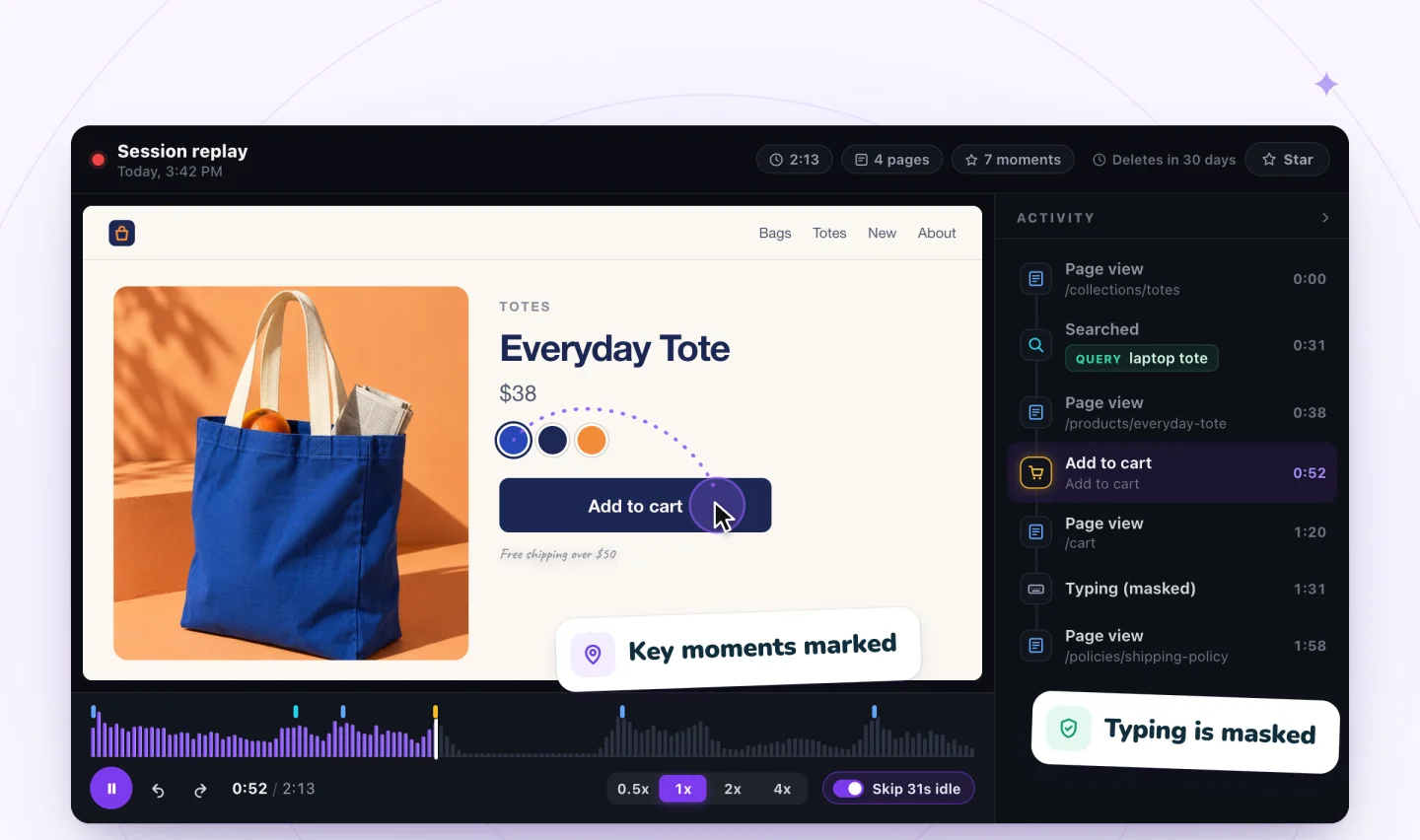
- Key momentsSearches, cart adds, checkouts
- Private by defaultTyping masked in the browser
- Live viewFollow visits as they happen
- Generous free plan2,000 recordings a month
Recording in three steps
No code, no tags to set up, nothing to configure before you start.
Add Session Recordings
Install it from the Wix App Market. It adds itself to your site.
Turn it on
One screen explains what's recorded and what's masked. Switch it on, and recording starts with your next visitor.
Watch what happened
Filter to the visits that matter, jump to the moments that count and skip the quiet parts.
Watch a sample replay in your browser
Open a sample visit and click through it yourself: jump between moments on the timeline, read the Activity list and change the speed. No sign-up.
The demo is hosted on myuser.ai, the team behind Session Recordings.
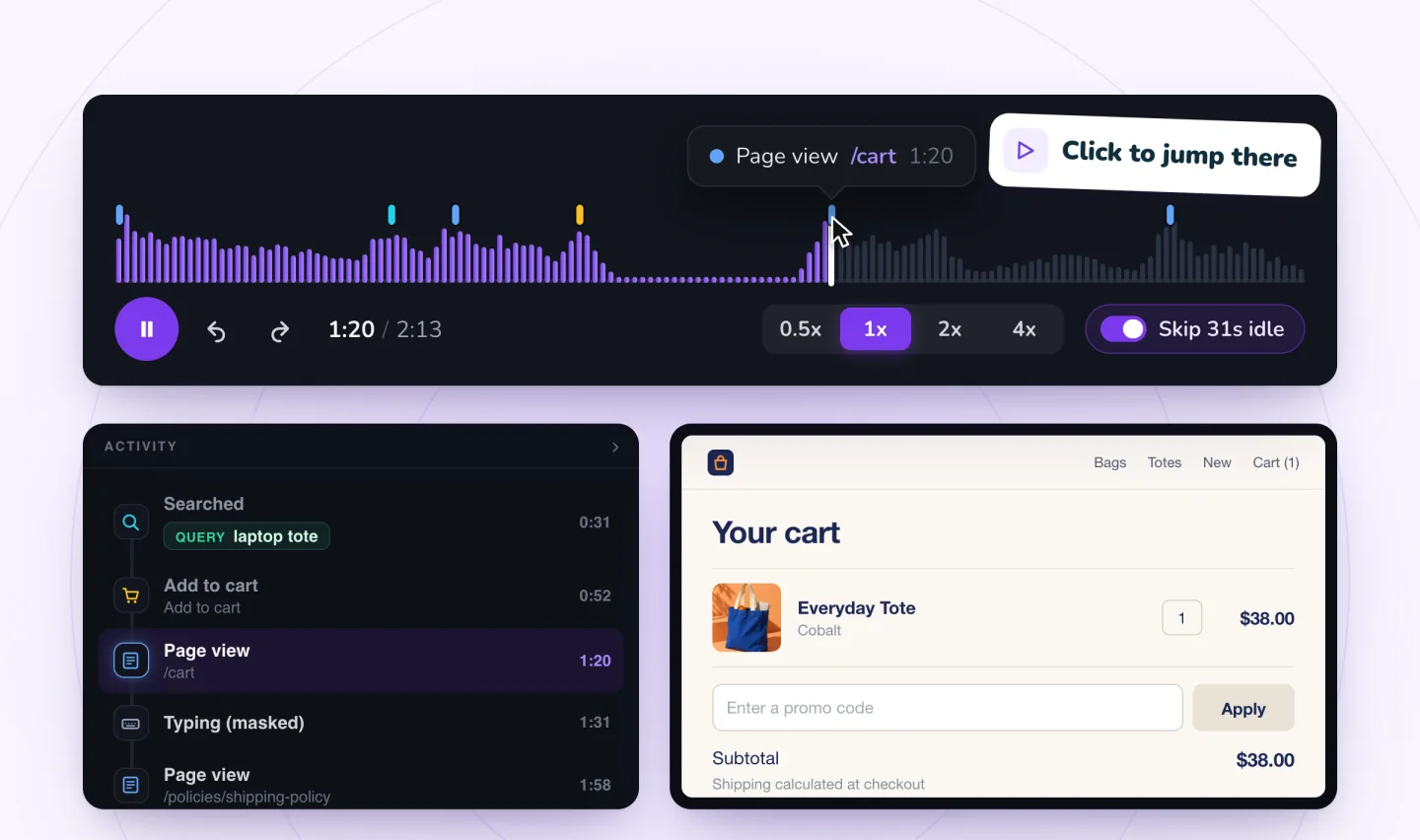
Jump to the moments that matter
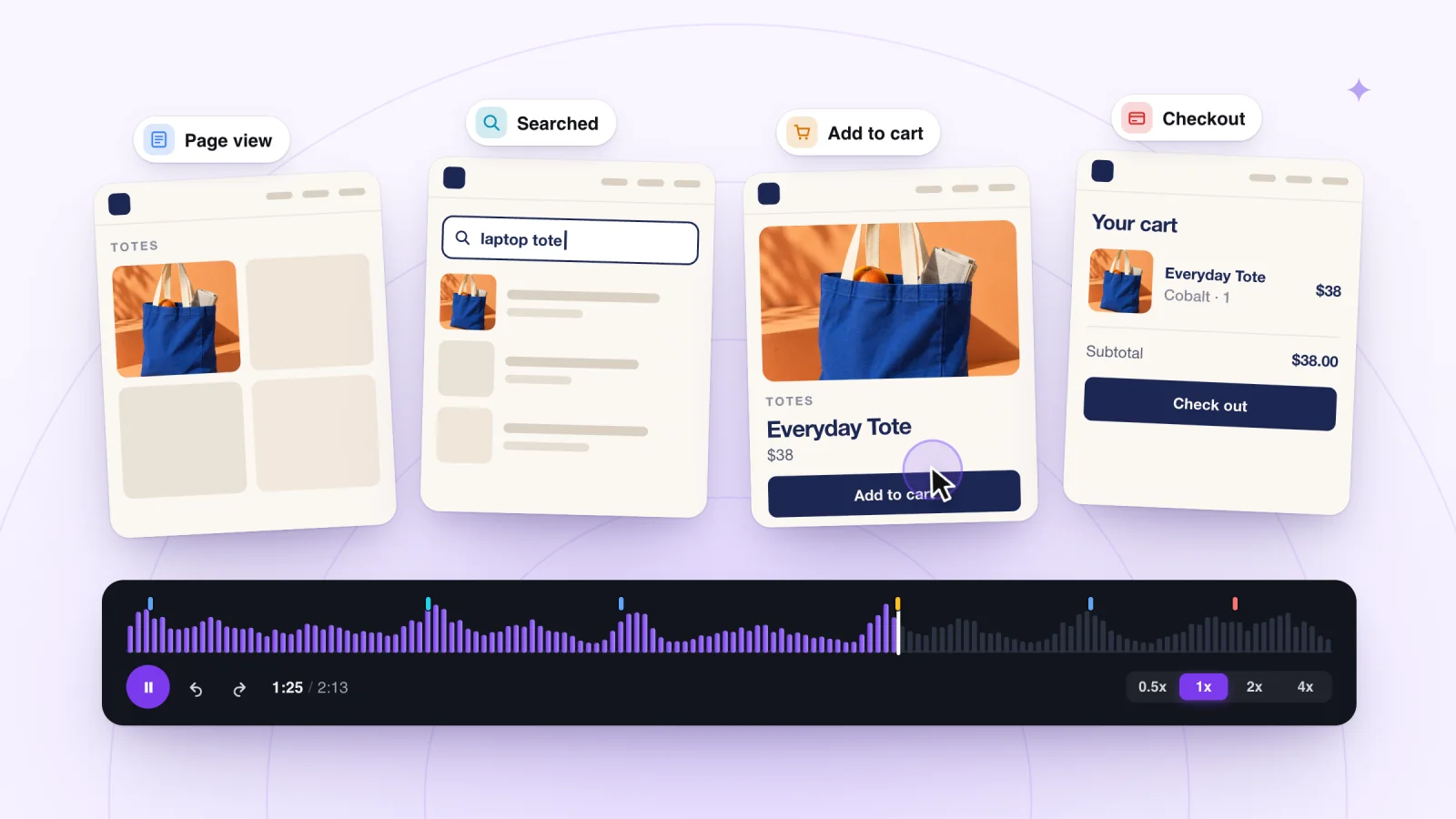
Page views, searches, cart adds and checkouts are marked on the timeline, and the Activity list beside the replay shows every moment. Click one to jump straight there.
- See the words visitors searched for
- Every moment listed in order
- Click a moment to jump to it
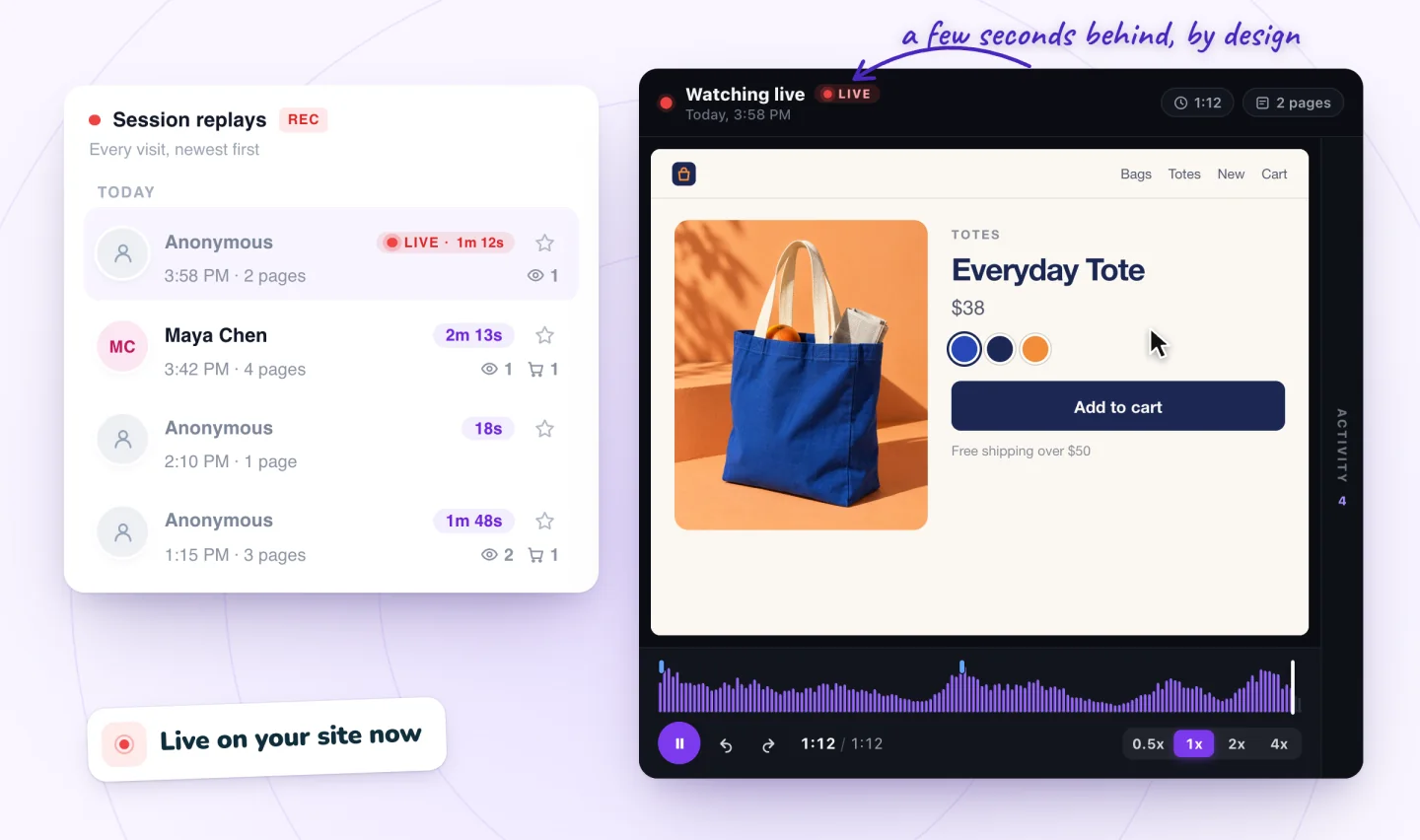
Watch visits as they happen
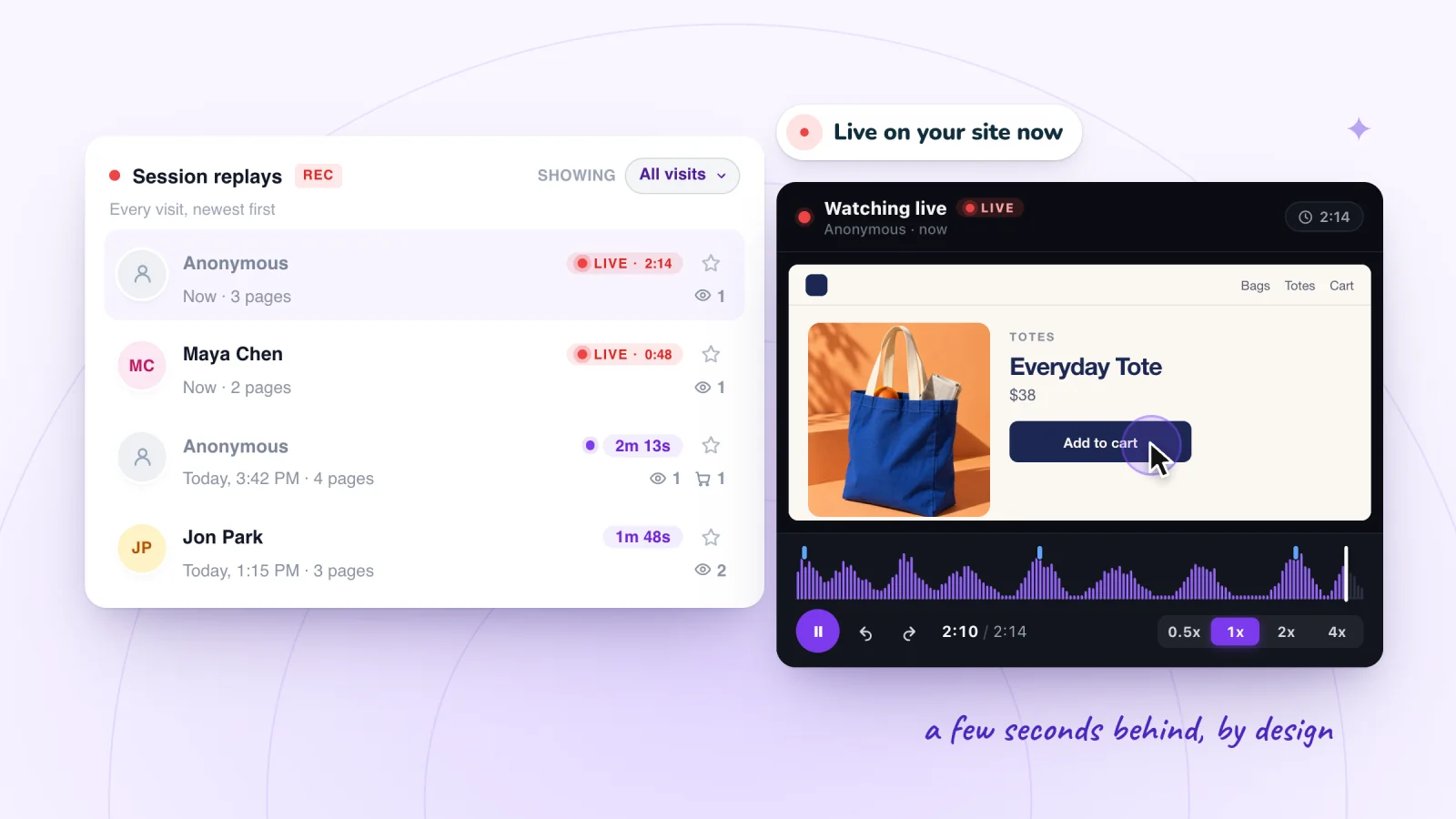
Visits in progress show as LIVE in your list. Open one to follow along, a few seconds behind real time.
- See who's on your site right now
- Follow a visit live
- Keep watching after it ends
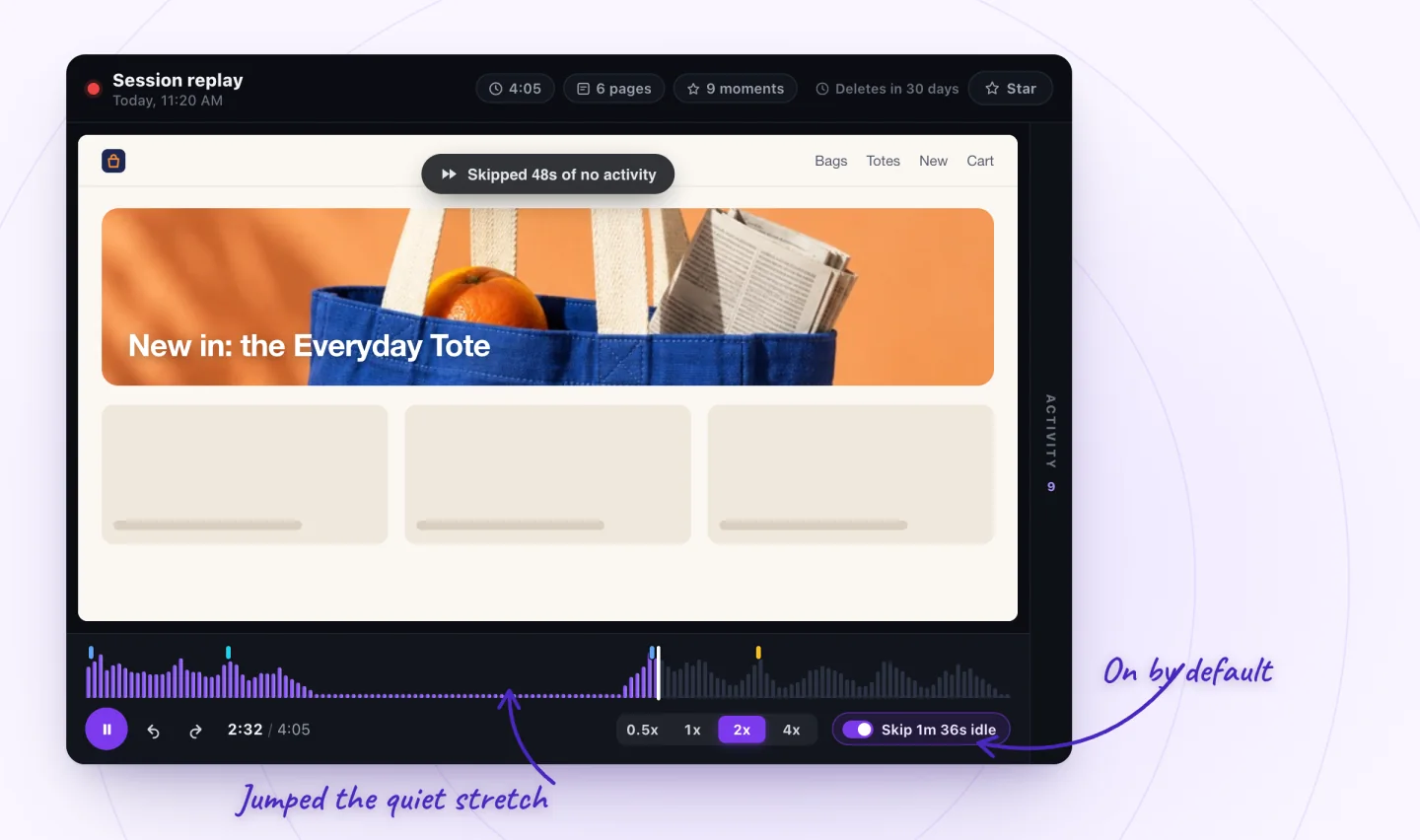
Skip the quiet parts
Stretches with no clicks, scrolling or typing are skipped automatically, and you can watch at 0.5x, 1x, 2x or 4x.
- Idle skipping on by default
- Four playback speeds
- The activity waveform shows where things happen
Find the visits worth watching
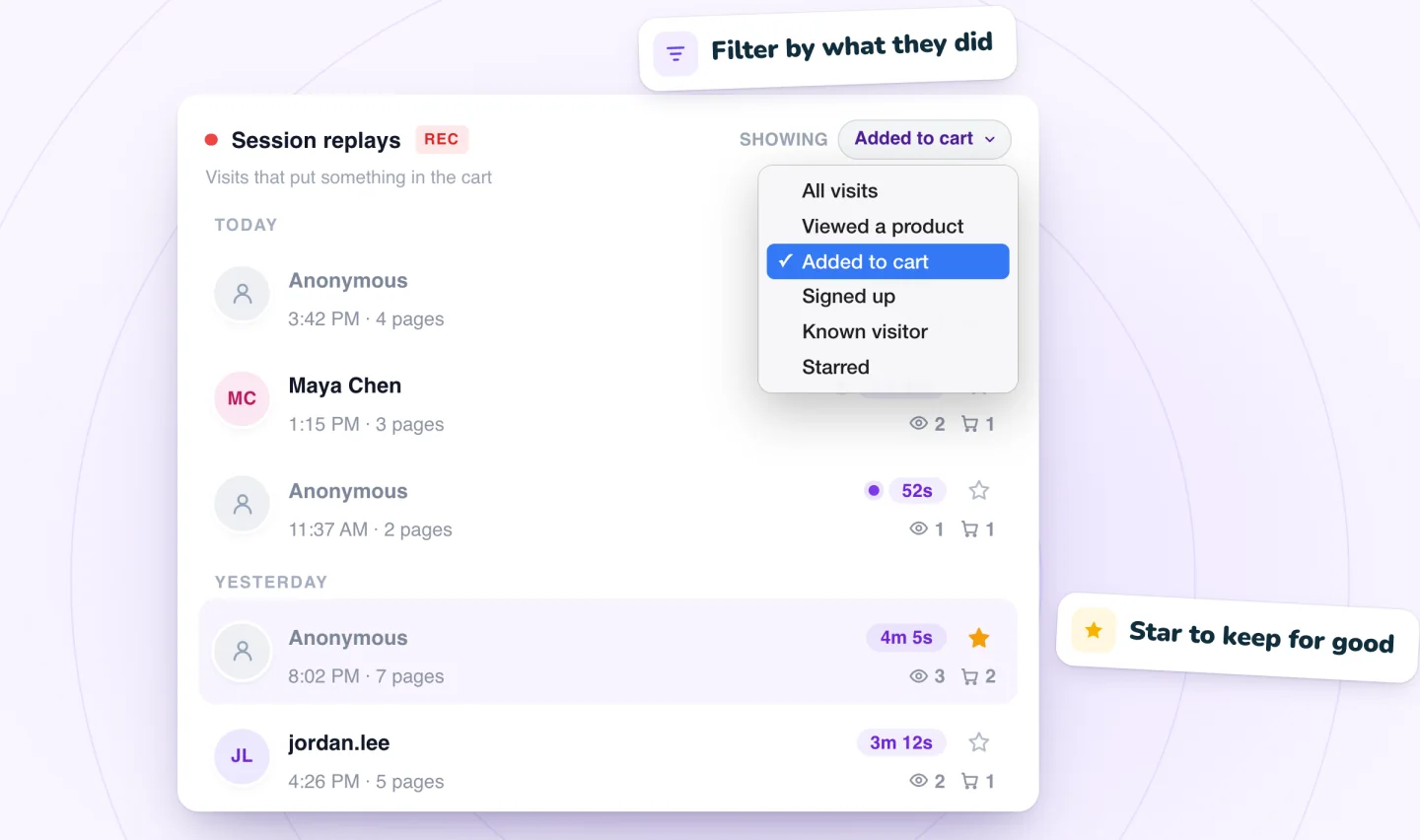
Filter your list to visits that viewed a product, added to cart or signed up, or to visitors your site knows. Star the ones to keep.
- Filters for real actions, not guesses
- Unwatched visits marked
- Starred replays kept past retention
Private by default
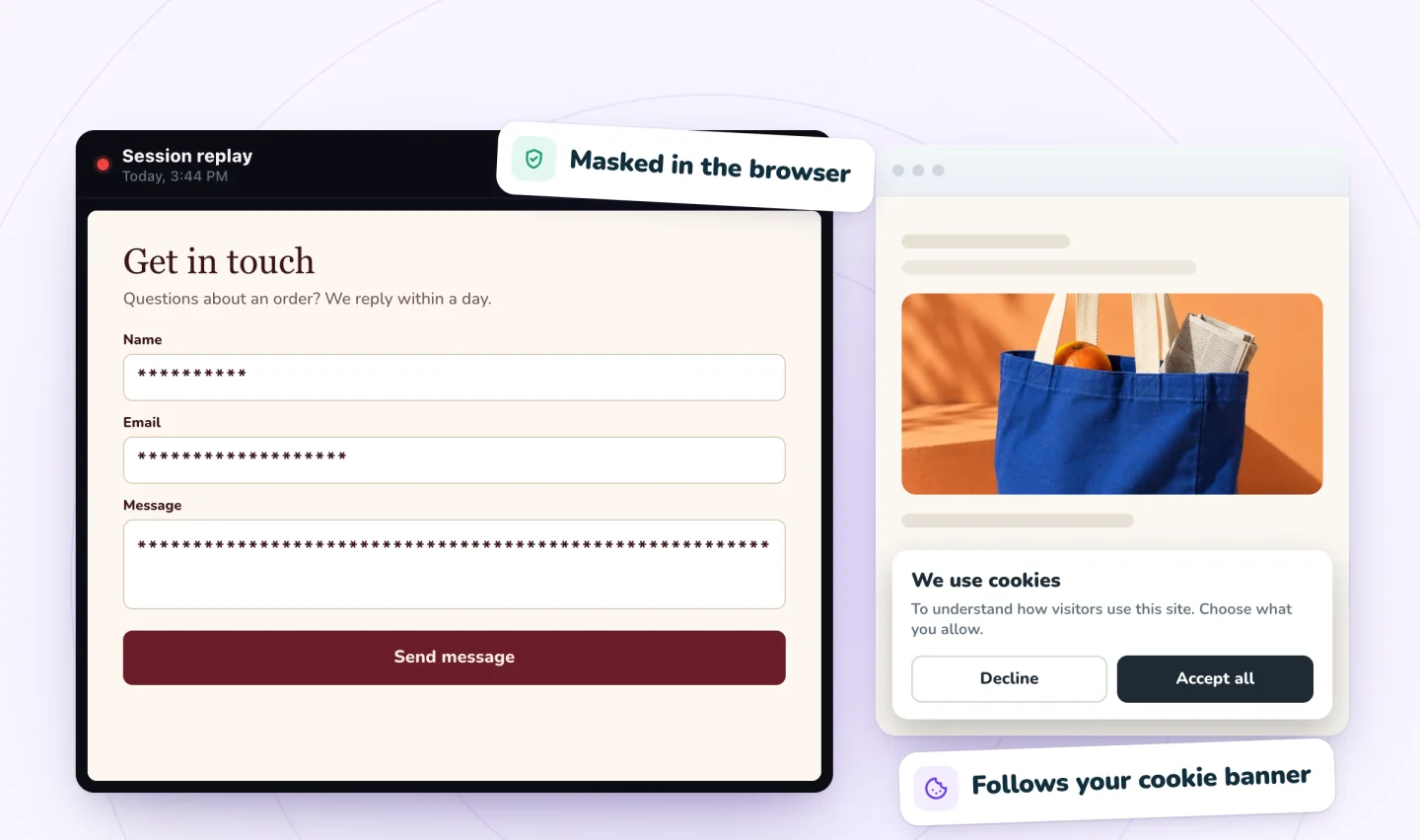
Anything a visitor types is masked in their browser before it's sent. Visitors who haven't allowed analytics in your cookie banner aren't recorded.
- Typing masked at the source
- Follows your cookie consent
- Recordings deleted on schedule
Phone visits, tap by tap
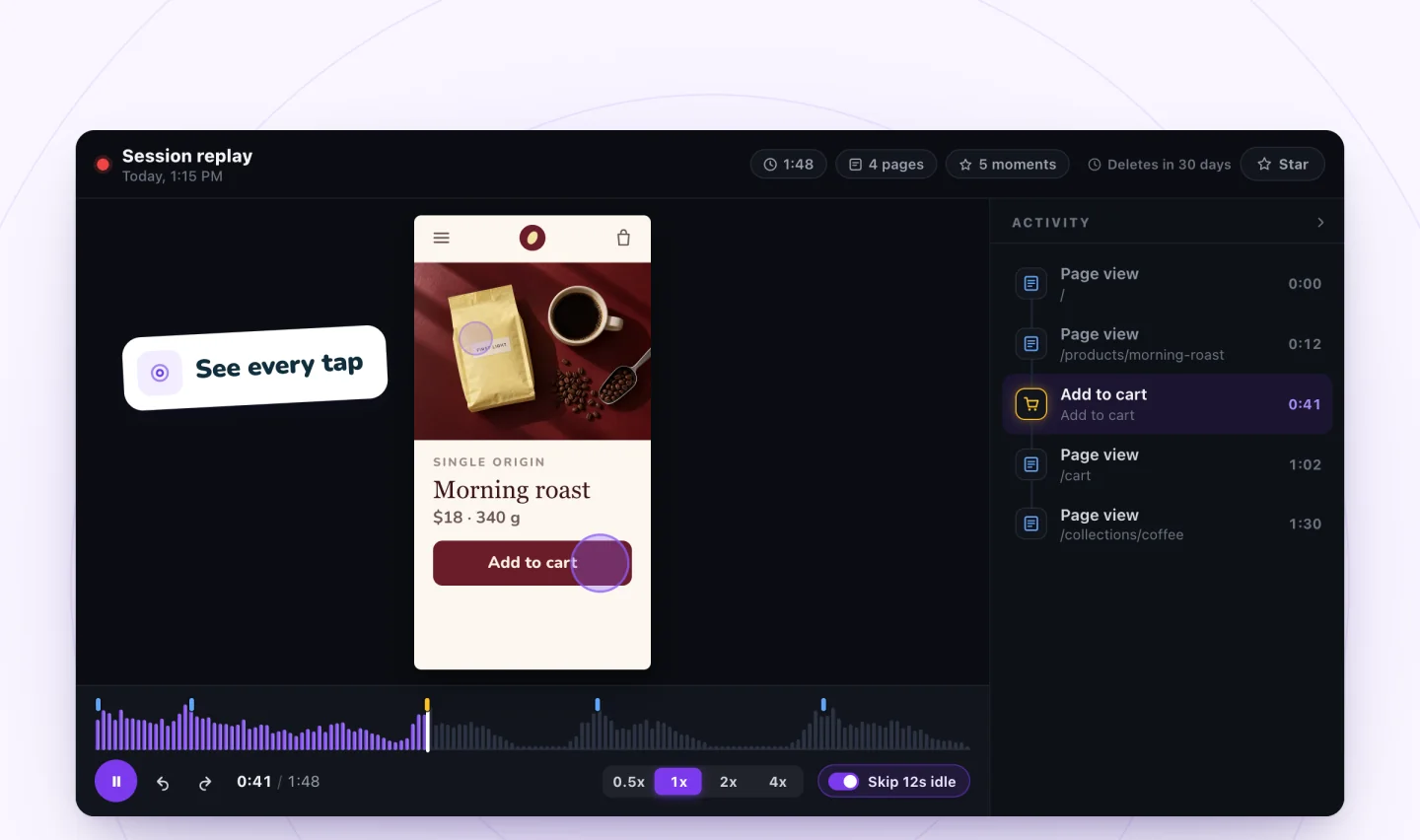
Visits from phones replay at the phone's own shape, with every tap shown, so you see the small-screen problems a desktop check misses.
- Phone-shaped replays
- Taps marked as they happen
- Same moments and filters as desktop
On with one click
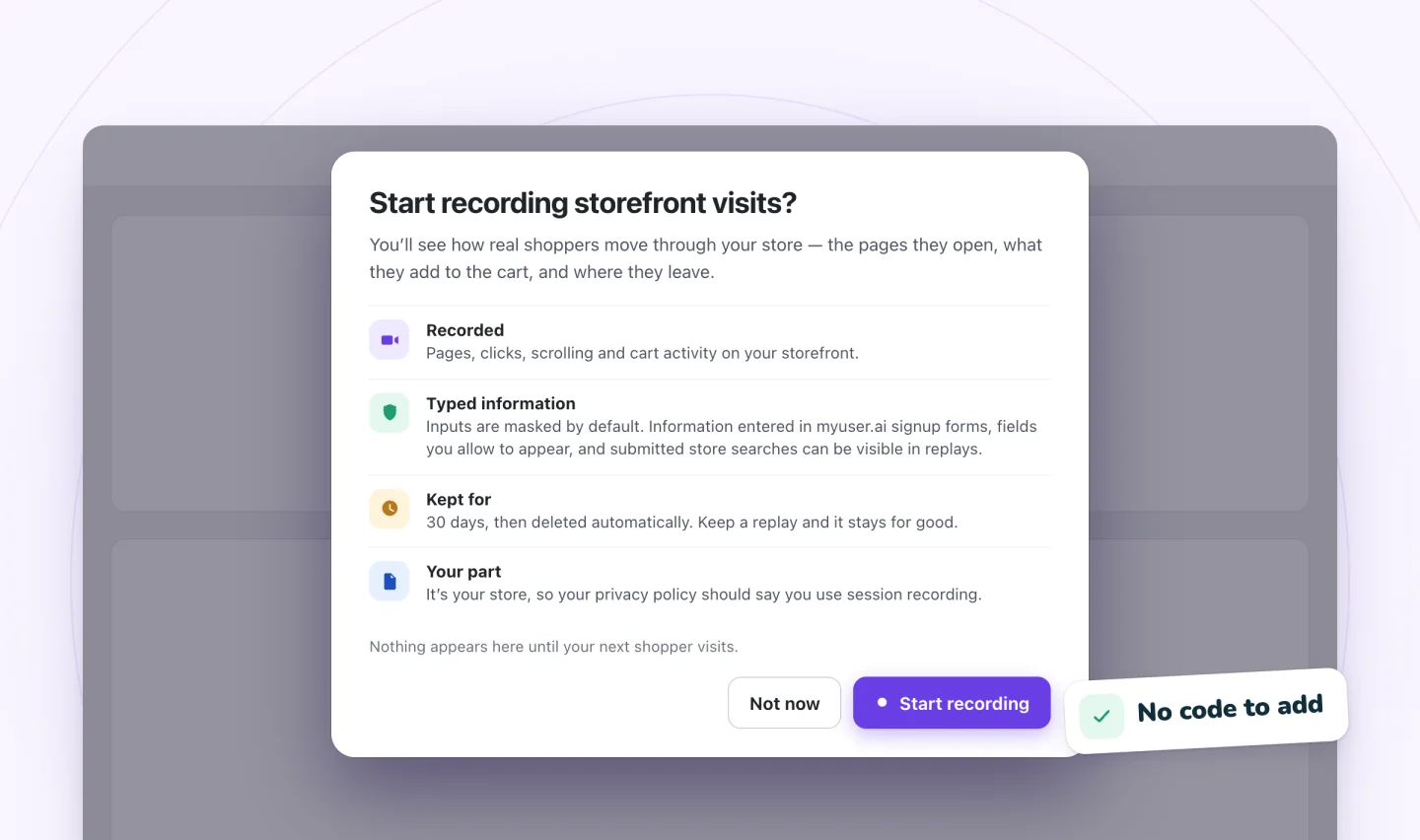
A single screen shows what's recorded, what's masked and how long replays are kept. Turn it on and recording starts with your next visitor.
- No code to add
- Plain-language consent screen
- Turn recording off anytime
What you can learn from a replay
Start with a question, then watch the answer.
Fix checkout friction
See where shoppers hesitate between cart and payment.
Checkout checklistUnderstand cart drop-off
Watch what happens after something goes in the cart.
Why carts are leftSpot mobile problems
Catch tap targets, pop-ups and layouts that fail on phones.
Phone replaysImprove product pages
Learn what visitors look at before they buy, or leave.
Product page fixesReport bugs clearly
Send a developer the replay instead of a guess.
Bug reportsLearn what visitors want
Read the words people type into your search box.
Site search insightsFind where forms lose people
See the last field a visitor touched, with typing masked.
Form abandonmentSee why visitors leave
Match the moment people go to what was on screen.
Why visitors leaveCatch clicks that go nowhere
Spot quick bursts of clicks on buttons that don't respond.
Rage clicksA free plan with every feature
Upgrade for more recordings and longer retention. Billed through your Wix account.
Free
Every feature, for new and smaller sites.
Start free- 2,000 recordings a month
- Every feature included
- Replays kept 30 days
- Star replays to keep them
- Live view, key moments and filters
- Typing masked, cookie consent respected
Plus
Or $10 a month, billed yearly.
Start with Plus- 10,000 recordings a month
- Replays kept 90 days
- Everything in Free
- Email support
Pro
Or $24 a month, billed yearly.
Start with Pro- 50,000 recordings a month
- Replays kept 12 months
- Everything in Plus
- Priority email support
Get more out of every replay
What session recordings are, how to watch them quickly and what they reveal about carts and checkout.
What Is Session Recording? A Plain Guide
Session recording lets you replay real visits to your website. Learn how it works, what it can show you, and which questions it will never answer for you.
How to See What Visitors Do on Your Wix Site
Wix Analytics counts visits, session recordings let you watch single visits, and heatmaps map clicks on one page. Learn what each shows and when to use it.
Why Visitors Leave Your Website (and How to Find Out)
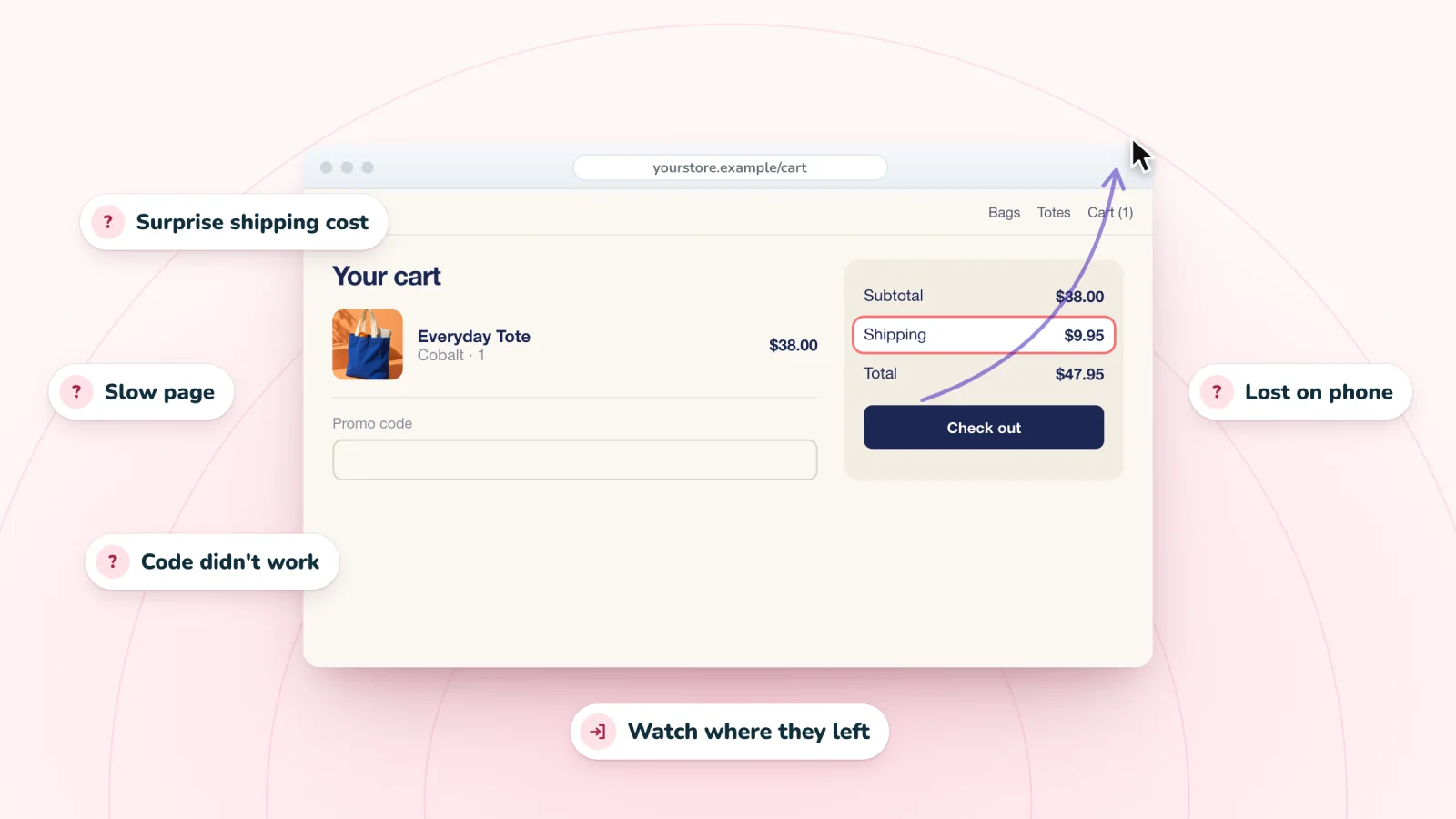
Slow pages, surprise costs and hard forms send visitors away. Learn the common reasons people leave a website and how to find which ones apply to yours.
All guides Glossary Session replay examples Free privacy notice template
Frequently asked
Is it a video of my visitors' screens?
No. A recording is a reconstruction of your page from the page's own structure and the visitor's clicks, taps and scrolling. There's no screen capture, audio or camera.
Can I see what visitors type?
No. Typing is masked in the visitor's browser before anything is sent, so it shows as asterisks. The words visitors submit in your store's search box can be shown, so you can see what people search for.
Does it respect my cookie banner?
Yes. Visitors who haven't allowed analytics aren't recorded.
How much does it cost?
The Free plan includes 2,000 recordings a month with every feature. Plus is $12 a month and Pro is $29 a month for more recordings and longer retention. See pricing.
How long are recordings kept?
30 days on Free, 90 days on Plus and 12 months on Pro. Star any replay to keep it past that. Our guide to how long to keep session recordings helps you pick a plan.
Will it work on my site?
Yes, on Wix sites. Store moments like add to cart and checkout appear when your site has a store.
Is this the same as Session Recordings in Wix Analytics?
No. Wix Analytics has a session recordings feature of its own, powered by TWIPLA, which needs an upgraded Wix site and comes in plans from 3 to 10,000 recordings a month, according to Wix's help center. Session Recordings by myuser.ai is a separate app from the Wix App Market, with a Free plan of 2,000 recordings a month. It masks typing in the visitor's browser and marks key moments, like page views, searches and cart adds, in each replay. Our guide to seeing what visitors do on a Wix site compares the options.
Bring back the visitors you watched leave
Session Recordings shows you where visitors drop off. myuser.ai, from the same team, writes and sends the cart reminders, welcome emails and texts that win them back.


See your next visit through your visitor's eyes
Add Session Recordings and turn it on. Recording starts with your next visitor.